
Scattered context
The requirement is in a document, the task in a sheet, the decision in email, and the evidence on a drive.
Pulsar GRC for quality and compliance teams
See the action, responsible person and supporting document alongside each requirement. Know what still needs review. When an auditor asks what a decision was based on, open the relevant record.
An early-access product. Start with a conversation or a 14-day trial requiring a payment method.
Finding from a purchasing process audit
Check whether your organization may fall within Poland’s KSC Act implementing NIS2. This tool concerns Polish law.
Answer questions about activities, size and company links. Get an initial assessment, deadlines and an evidence checklist. Answers stay in your browser and you can print the result. Your organization must review the final legal classification.
The real problem starts when an organization cannot reconstruct who decided what, on which basis, and where completion evidence lives.

The requirement is in a document, the task in a sheet, the decision in email, and the evidence on a drive.
A status exists, but no one knows who must make the next decision or by when.
Before an audit, the team recreates history instead of presenting a ready process trail.
An obligation becomes owned work with a deadline, evidence, and an explicit decision.
1 / 4
Record a requirement from a regulation, standard, contract, or internal decision.
2 / 4
Assign an owner, role, and deadline instead of leaving anonymous tasks in unmanaged sheets. Connect a control, audit, risk, or CAPA with concrete work to be completed.
3 / 4
Attach the document, result, comment, and history that demonstrate completion.
4 / 4
An authorized person reviews the result, approves it, or requests the next action.
Plan the review and keep its findings together.
Decide what could go wrong and how to reduce the impact.
Use the right version and keep the decisions behind changes.
Address the cause and check that the action worked.
Review suppliers, their documents and open actions.
Prepare a report for a defined scope and period.

Ask for a draft, then check its content and sources. If a conclusion lacks support, correct it or reject it. Generating text does not complete the action. AI support reduces preparation work, but does not take over process ownership, compliance assessment, or approval of the result.
The document, version and review history stay with the item. The next person can follow the findings without asking the whole team to explain them again.
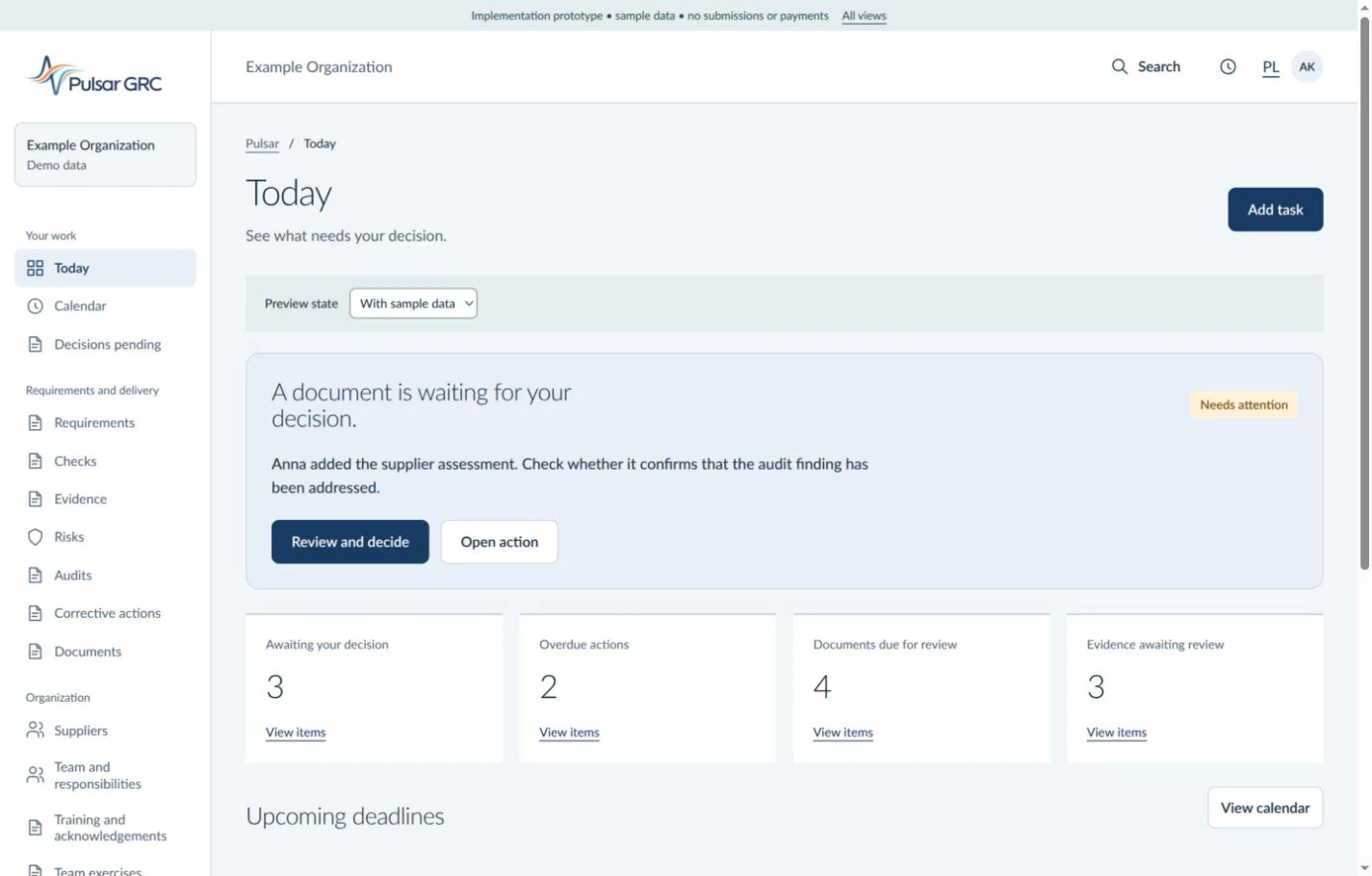
Pulsar GRC supports compliance work: it shows responsibilities, keeps change history, and organizes evidence. Decisions, assessments, and approvals remain with your organization.
Each organization works in a separate data area.
Roles and permissions help restrict access to the right work areas.
Changes, decisions, and approvals are visible as an auditable process trail.
Export and safeguards are not add-ons reserved for a more expensive plan.
The full feature set in every plan. Choose by the number of people and the AI assistance limit you need.
Best for: Teams of up to 10 users evaluating the full feature set
14 days with the full Pulsar GRC feature set for a small team.
Included
How artificial intelligence helps: AI budget: 100,000 units. AI prepares drafts; a person reviews and approves them.
Start 14 days freeBest for: Teams of up to 49 users that need a larger AI budget
The full Pulsar GRC feature set for a team of up to 49 users.
Standard price: €89 net/month
Included
How artificial intelligence helps: AI budget: 1,000,000 units. AI prepares drafts; a person reviews and approves them.
Start 14 days freeBest for: Teams of up to 200 users that need the highest AI budget
The full Pulsar GRC feature set for a team of up to 200 users.
Standard price: €229 net/month
Included
How artificial intelligence helps: AI budget: 5,000,000 units. AI prepares drafts; a person reviews and approves them.
Start 14 days freeA payment method is required during registration. The card is not charged when the 14-day trial starts.
Less pre-audit firefighting and more year-round process control
One reporting standard for operations, quality, and compliance
Faster decisions with one view of risks, actions, and evidence
No. It helps manage work, gather documents and record decisions. Qualified people remain responsible for evaluating requirements, compliance and effectiveness.
Yes. Choose an area such as supplier assessment. Add a task, a responsible person and evidence. Then check whether this way of working fits your team.
Yes. The 14-day trial requires a payment method. Your card is not charged at the start. Before confirming, review your plan, amount, next charge date and cancellation terms.
At your request, it prepares a draft that you can edit or reject. A draft alone does not confirm compliance or task completion.
Plans differ in the number of users and the AI usage allowance. Core safeguards and data export are not reserved for a higher plan.
Describe it in the form. We’ll establish who does the work, where you record the result and what holds up the decision. Then we’ll show a relevant Pulsar example. Keep confidential documents with you.