Review work needing attention at the start of the day or before a team meeting.
Workflow
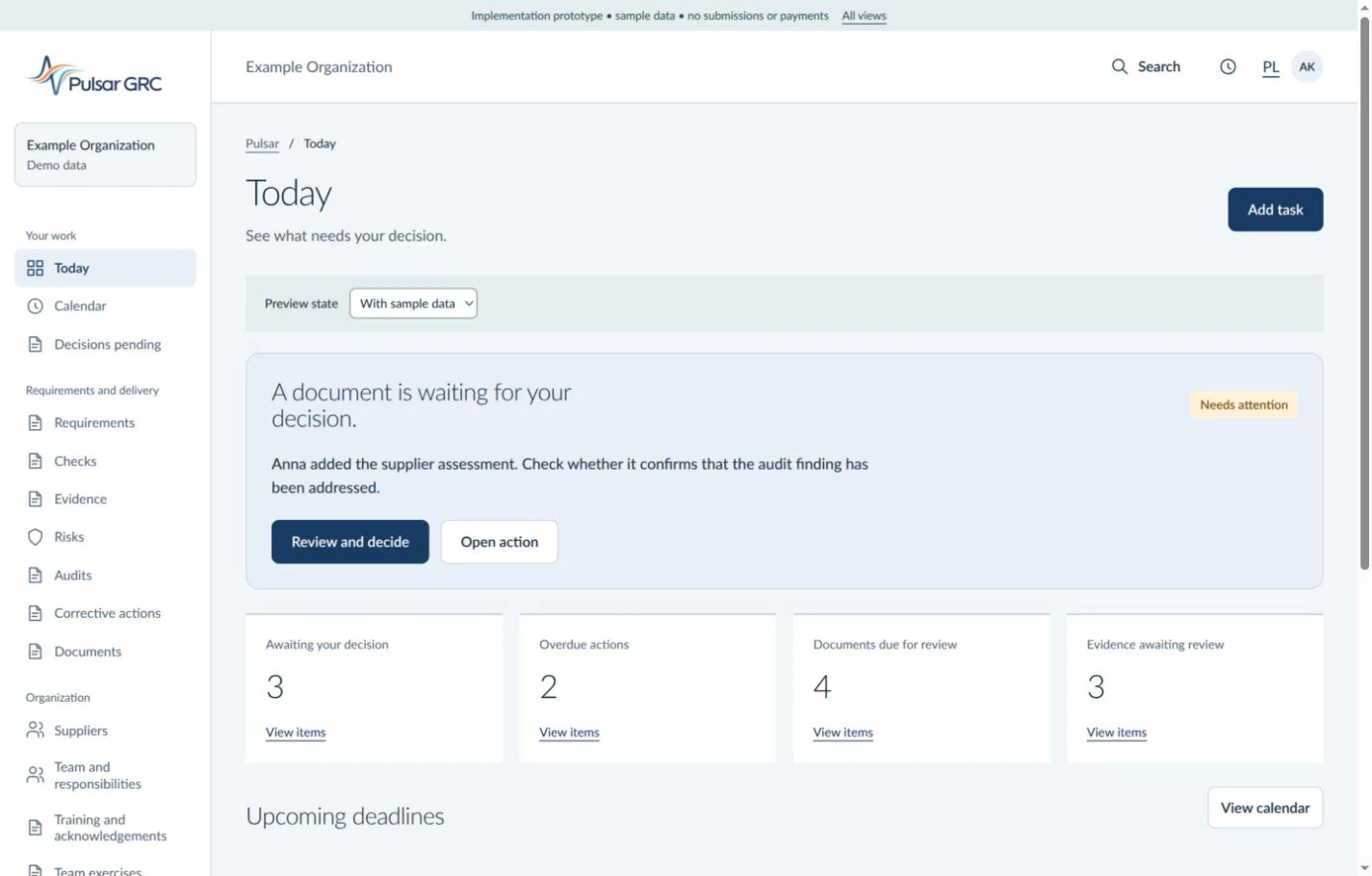
Check open actions, deadlines and pending decisions. Open the relevant record to review its owner and the basis for its status.
Result
Daily priorities with a route to the records supporting each decision. Prepare to discuss obstacles without collecting status updates from every person.
Illustrative interface view with fictional data. Open the image to see the details.
Requirements
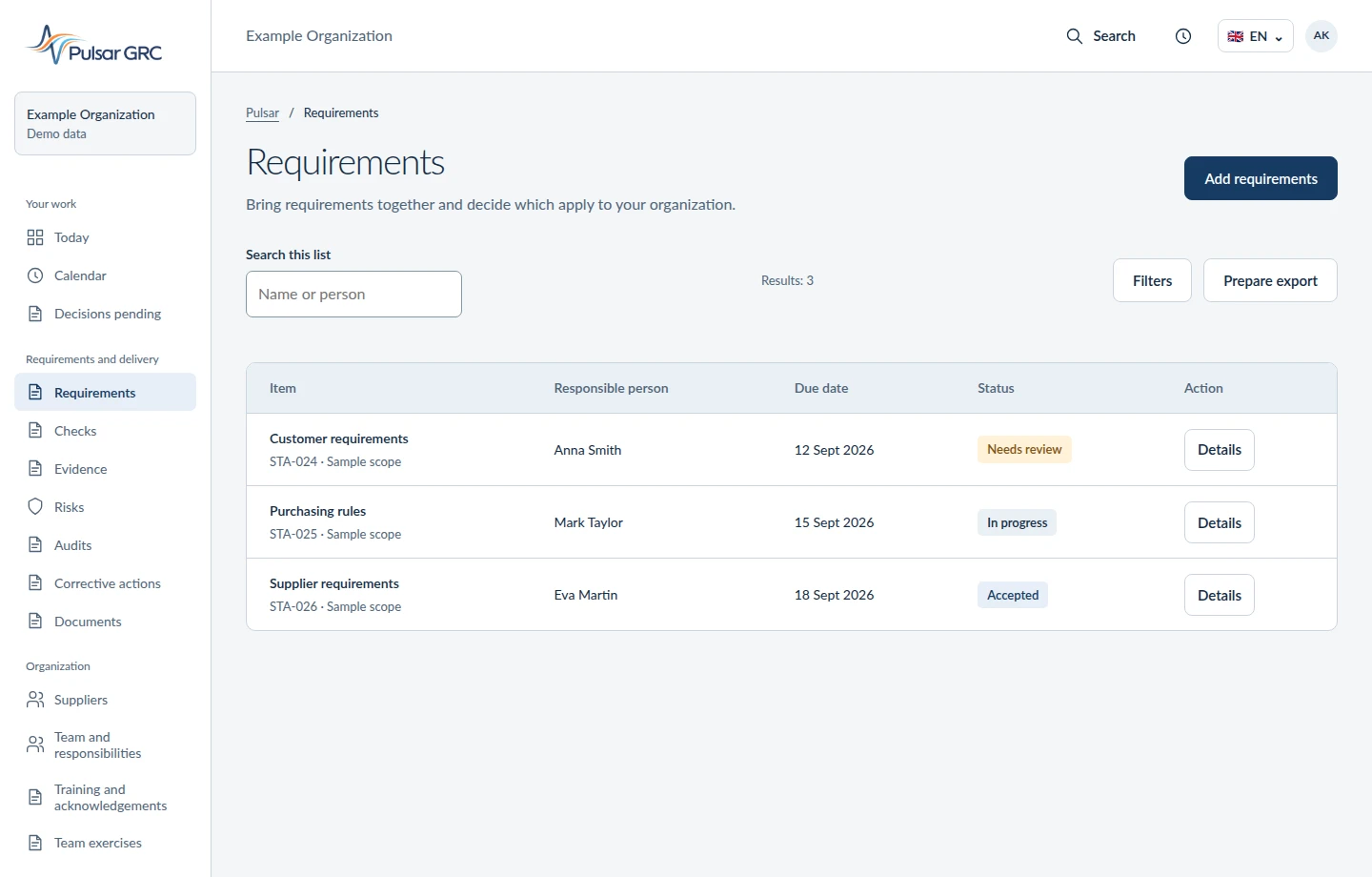
Bring requirements together and decide which apply to your organization.
When to use it
Define which provisions of a standard, law or customer requirement apply to your organization.
Workflow
Add requirements from sources you hold, define their scope and assign responsibility. Connect requirements to checks and evidence.
Result
A requirement catalogue with applicability context. Your organization supplies licensed standards and approves their interpretation. A shared reference helps the team resolve questions without reconstructing agreements.
Illustrative interface view with fictional data. Open the image to see the details.
Source materials
Keep the source, date and scope of each requirement.
When to use it
Keep a requirement connected to its current source document.
Workflow
Record the material, version and review date. Identify the passage supporting the requirement and assess whether source changes require an update.
Result
A reviewable basis for each requirement, including version and scope. Preserved context reduces repeated searches for the basis of the same decision.
Checks
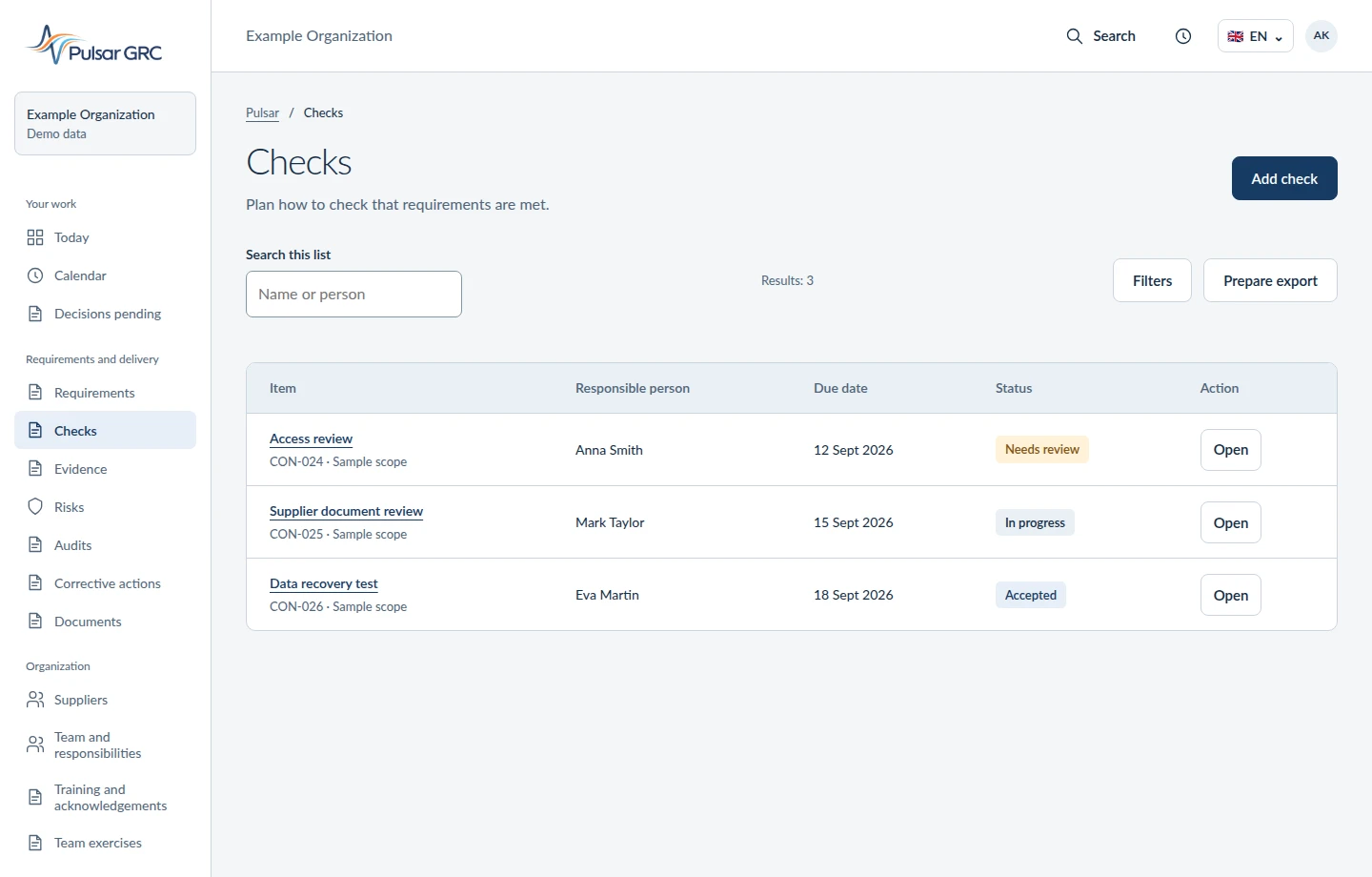
Plan how to check that requirements are met.
When to use it
Define how the team will check that a requirement has been fulfilled.
Workflow
Describe the control, assign an owner and set its frequency. Record an assessment criterion, the check result and supporting evidence.
Result
A record of the control method and outcome. Missing evidence remains visible as work to complete. The reviewer can focus the conversation with the person doing the work on the result.
Illustrative interface view with fictional data. Open the image to see the details.
Evidence
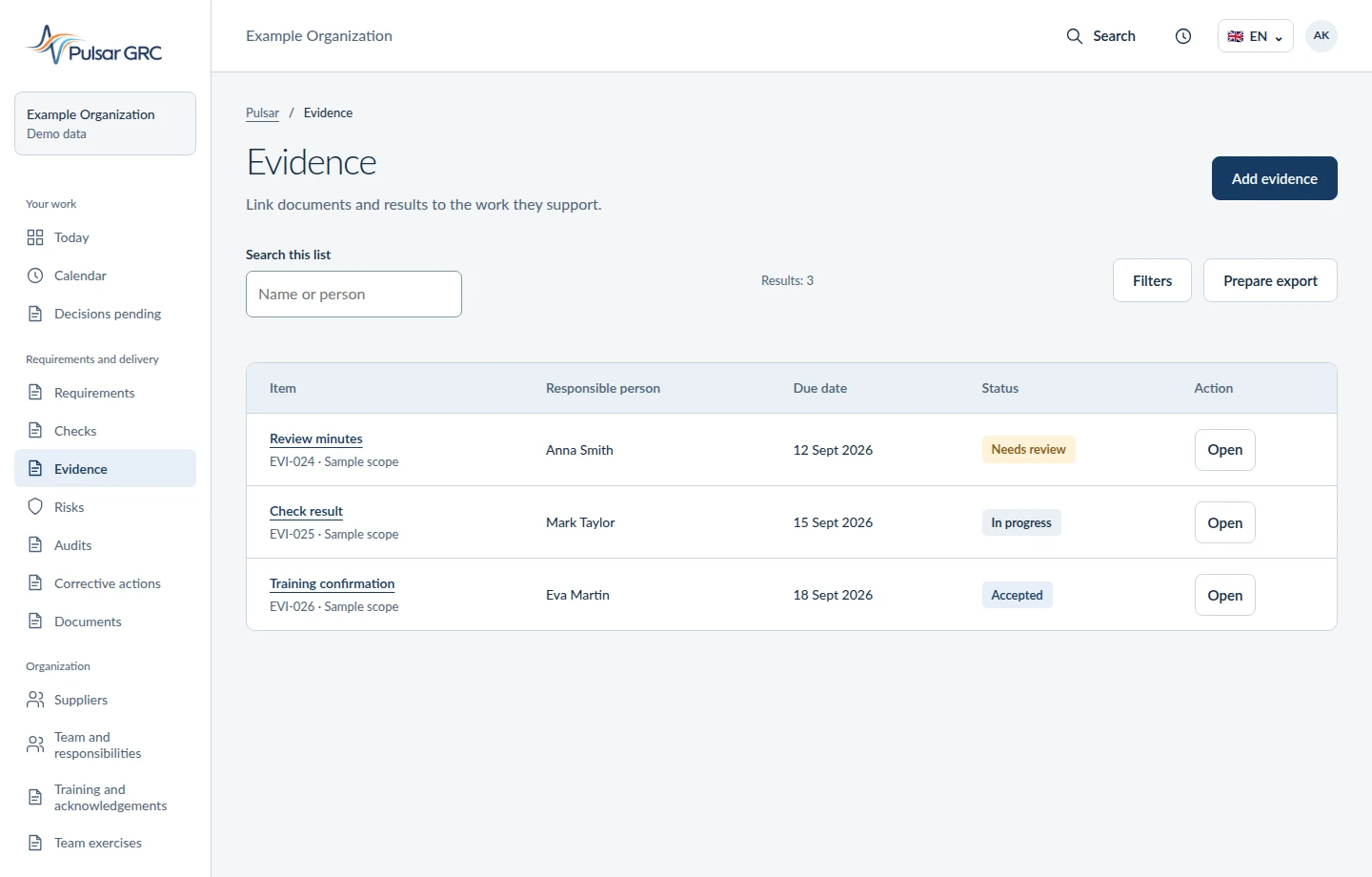
Link documents and results to the work they support.
When to use it
Give an auditor or reviewer a basis for assessing completed work.
Workflow
Add a document or result, identify its version and link it to a requirement, control or action. Review its scope, currency and responsible person.
Result
Evidence in the context of the work it supports, with a stated basis. When the next question comes, the team returns to the case without searching for attachments again.
Illustrative interface view with fictional data. Open the image to see the details.
Risks
Decide what could go wrong and how to reduce the impact.
When to use it
Before a process change, supplier selection or security review.
Workflow
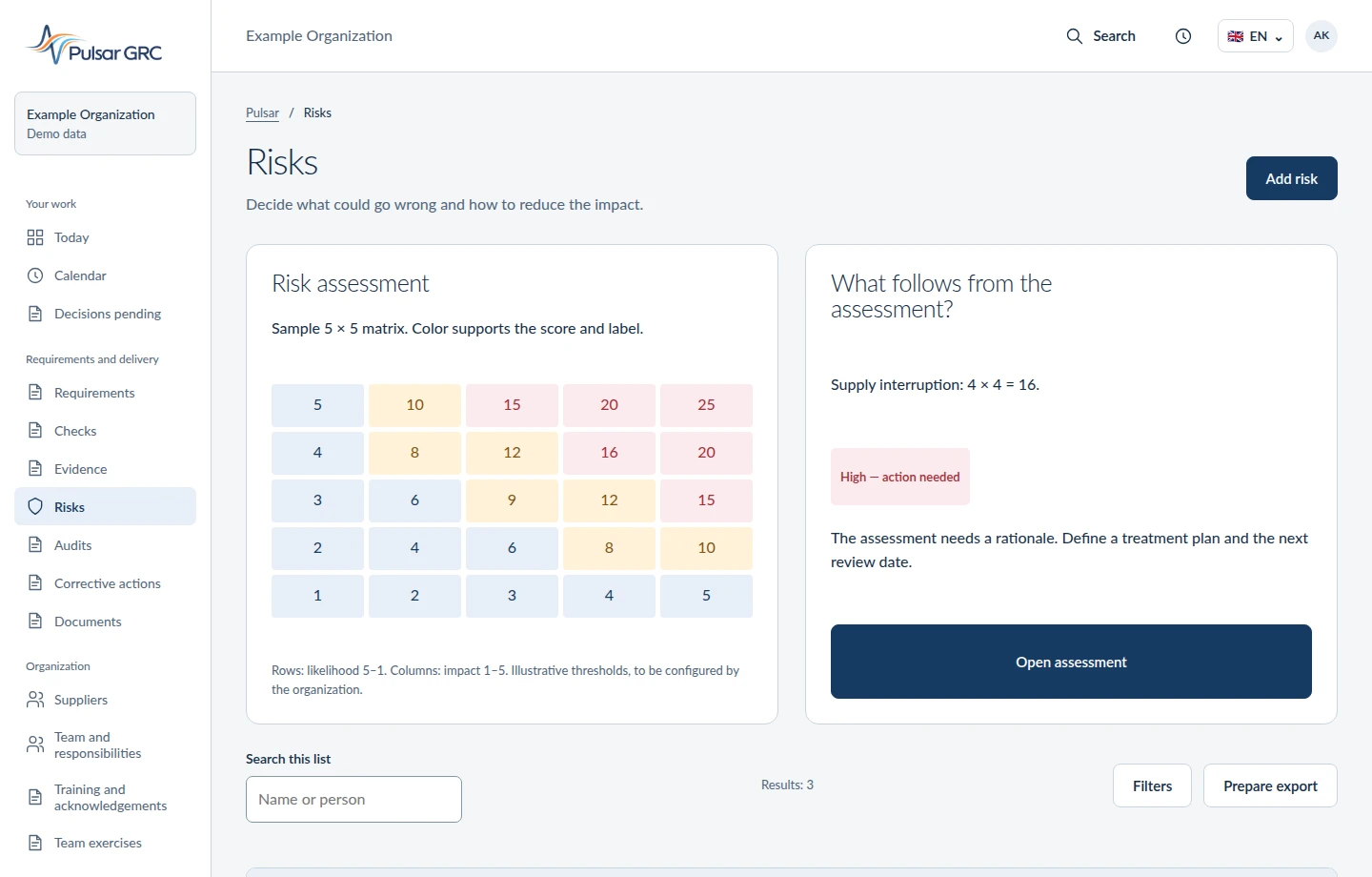
Record the event and its consequences. Assess likelihood and impact using your chosen method, assign an owner and treatment plan, then set the next review date.
Result
A risk register with assessment rationale, actions and ownership. An authorized person decides whether to accept risk. Focus the team discussion on necessary actions and support for risk owners.
Illustrative interface view with fictional data. Open the image to see the details.
Audits
Plan the review and keep its findings together.
When to use it
Prepare an internal audit, customer audit or review of a selected process.
Workflow
Define scope, criteria and participants. Gather evidence, record findings and assign actions for identified deviations.
Result
A documented review and findings with action owners and deadlines. After the review, work with the team on findings without rewriting assignments.
Corrective actions
Address the cause and check that the action worked.
When to use it
After a nonconformity, complaint or recurring problem.
Workflow
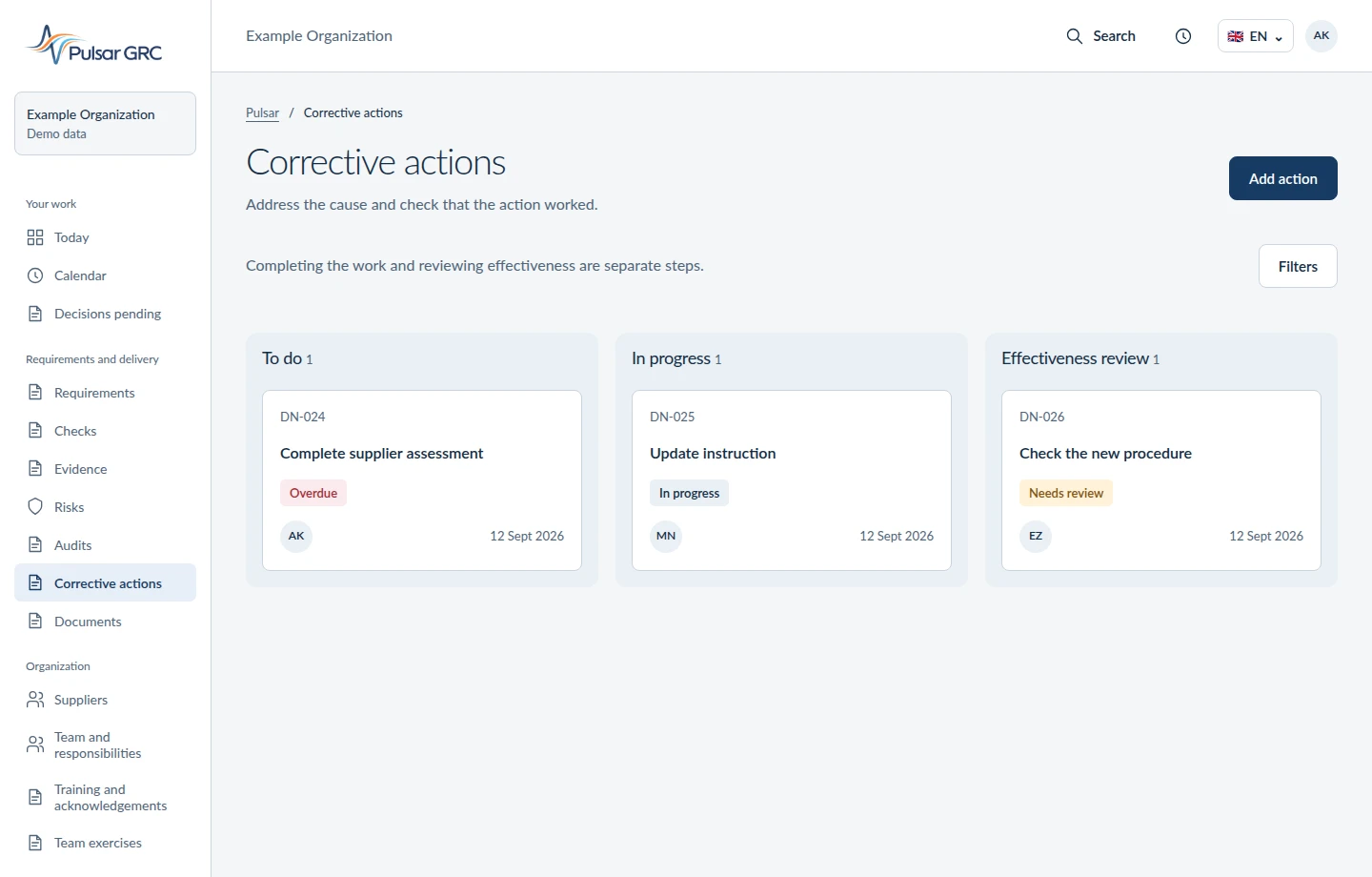
Record the problem and contain its effects. Verify the cause and agree an action, owner and deadline. Attach delivery evidence, then assess effectiveness against an agreed criterion.
Result
A trail from finding to closure, further observation or renewed analysis. Completion and effectiveness are assessed separately. A shared record supports discussion of the cause and the help needed to improve.
Illustrative interface view with fictional data. Open the image to see the details.
Documents
Use the right version and keep the decisions behind changes.
When to use it
When several people work on a procedure, instruction or audit document.
Workflow
Add the document and describe its scope and version. Submit changes for review and retain the decision so the team knows which content to use.
Result
A document with version and change context that can be linked to requirements or evidence. The team can understand the change without asking its leader for another copy.
Team and responsibilities
Assign responsibility to people and areas of work.
When to use it
Clarify responsibilities across teams and process owners.
Workflow
Describe the organization and people assignments. Connect work to the relevant team and review assignments after organizational changes.
Result
A clear responsibility structure that helps route work to the right person. The leader can help remove an obstacle instead of finding the right recipient each time.
Suppliers
Review suppliers, their documents and open actions.
When to use it
Before supplier approval and during periodic relationship reviews.
Workflow
Record the supplier, service scope and required documents. Assess risk, review evidence currency and assign actions for missing information.
Result
A supplier register with documents, assessments and open issues. Your organization decides whether to proceed. Purchasing and quality can agree on missing actions from the same record.
Training and acknowledgements
Connect training needs to evidence of completion.
When to use it
When a requirement or procedure change calls for team preparation.
Workflow
Define the need, participants and material. Connect training or acknowledgement to the requirement and keep completion evidence; agree the CrewShift workflow for your organization.
Result
A training need linked to delivery and evidence for reviewing team readiness. The leader sees who needs a discussion about the change and who needs more explanation.
Team exercises
Rehearse the team response and record lessons learned.
When to use it
Before an emergency or a response readiness review.
Workflow
Define a scenario, roles and expected decisions. Run the exercise, gather observations and assign actions for identified gaps; agree CrewShift involvement in your rollout scope.
Result
An exercise record and lessons with owners for follow-up actions. After the exercise, focus on collaboration and obstacles raised by participants.
Measures
Review results and open the records behind them.
When to use it
Assess compliance status through measures and trends.
Workflow
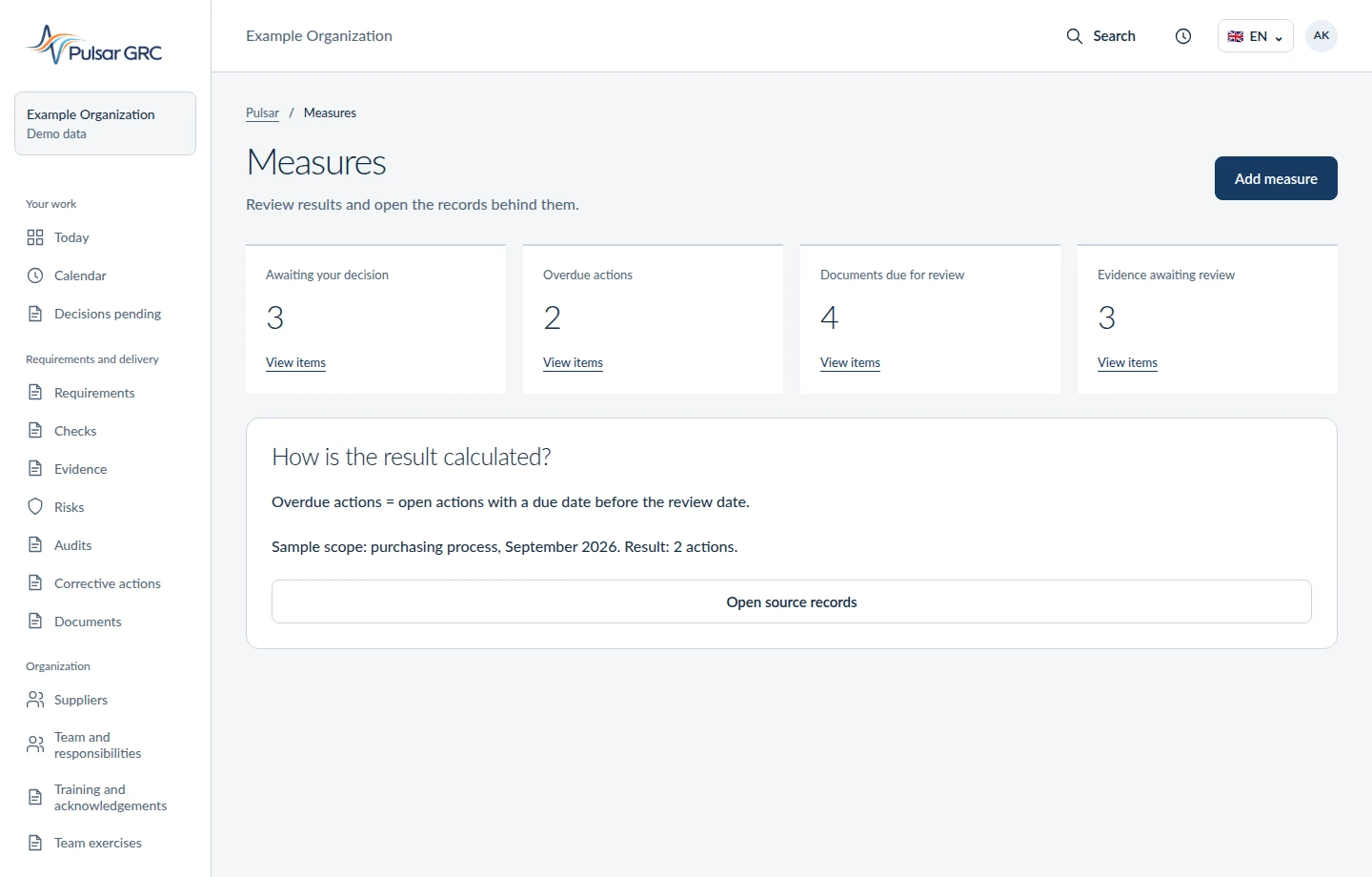
Select a measure, period and scope. Review the value and its supporting data, then connect a deviation to an assessment or action.
Result
A results review showing where a decision or further investigation is needed. A shared starting point supports discussion of causes without gathering figures before the meeting.
Illustrative interface view with fictional data. Open the image to see the details.
Management reviews
Bring together results, decisions and actions for the next period.
When to use it
During management’s periodic review of the management system.
Workflow
Gather audit results, risks, actions and measures. Record decisions, resource needs and owners for the next period.
Result
A review with decision rationale and actions that can be checked at the next meeting. At the next meeting, return to open actions and the support their owners need.
Reports
Prepare a report for a defined scope and period.
When to use it
Present the state of a selected area to management or an auditor.
Workflow
Define report scope and period. Review source information, prepare a summary and identify missing data or assessment limitations.
Result
A report tied to a specific scope and date, supporting the next decision. Show the team the decision basis without reconstructing the case history in a separate summary.
Downloads
Download prepared documents with a confirmed scope.
When to use it
Transfer prepared material beyond the current application view.
Workflow
Choose an available file and review its scope and date. Download it and check completeness and recipient authorization before sharing.
Result
A file for further work or review. Content and format depend on the selected export type. Agree on the scope once so preparing the material does not involve the whole team again.
Drafts to review
AI prepares a suggestion. You decide whether to use it.
When to use it
Prepare a suggested description, summary or structure for material.
Workflow
Request a draft within a defined scope. Review its content, sources and missing information, then correct, reject or accept the proposal.
Result
A draft reviewed by a person. Generated text alone does not prove compliance or completed work. Use the draft as a starting point for substantive teamwork and your own review.
Calendar
See upcoming reviews, audits and tasks.
When to use it
Plan periodic reviews, audits and actions.
Workflow
Review deadlines for the selected period. Open the related record, check its owner and agree date changes when dependencies arise.
Result
A shared view of deadlines for planning work and identifying conflicts. Discuss workload with people while keeping case deadlines in view.
Acknowledgements
Check who has acknowledged the correct document version.
When to use it
After changing an instruction, policy or document requiring acknowledgement.
Workflow
Identify the document version and affected people. Gather acknowledgements and review gaps to plan follow-up or training.
Result
Acknowledgements tied to the correct version. Acknowledgement does not replace knowledge or competence assessment. See who still needs the change explained without collecting attendance lists again.
Data protection
Organize information about data, its uses and retention dates.
When to use it
Organize data use purposes and protection responsibilities.
Workflow
Describe the data scope, purpose, ownership and deadlines. Connect information to documents and controls and review it after process changes.
Result
Data governance records for reviewing retention, access and processing grounds. Assigned responsibilities help the team identify who carries out the next review.
Data rights requests
Track a request from receipt to confirmed response.
When to use it
Handle a person’s request about their personal data.
Workflow
Record the request, scope and deadline. Assign a case owner, gather response information and retain the decision and handling evidence.
Result
A request handling history. An authorized person assesses identity, applicable rights and response content. The case owner keeps the context when another person’s help is needed.
Incidents
Record an event, assign responsibility and track the response.
When to use it
After an event affecting security or business continuity.
Workflow
Record the event, effects and detection time. Assign responsibility, track the response, collect evidence and record lessons and follow-up actions.
Result
An incident and response history. Your organization decides on notification obligations and submits notifications. A shared record helps coordinate people without reconstructing agreements from multiple conversations.
Consents
Keep the scope of consent and any withdrawal on record.
When to use it
When a selected process relies on a person’s consent.
Workflow
Record the purpose, scope, wording and time of consent. Record withdrawal and assess its consequences for further processing.
Result
A consent register with scope and changes. Your organization assesses whether consent is the appropriate legal ground. The responsible person can check the history without asking the team to find forms.
Compliance programmes
Connect requirements and actions in a selected area.
When to use it
Run an implementation or review of a defined compliance area.
Workflow
Define the program goal, requirements and owner. Connect these to actions and evidence and review progress at agreed intervals.
Result
A program with clear scope, responsibilities and a basis for assessing progress. Reviewing the programme directs attention to dependencies and the support each team needs.
Questionnaires
Collect answers needed to assess an organization or supplier.
When to use it
Gather data for self-assessment or supplier assessment.
Workflow
Define questions and recipients, then collect answers and supporting material. Review inconsistencies and turn gaps into actions or follow-up questions.
Result
A set of answers supporting assessment. Questionnaire declarations need verification when they affect decisions. Use the conversation to clarify missing answers while retaining the context already collected.
Decisions pending
Review the content and evidence before approving a change.
When to use it
Before accepting a document change, action or assessment result.
Workflow
Open the pending decision. Review content and evidence, record the rationale and approve, reject or request additional information.
Result
A decision with ownership and rationale that can be reconstructed during later review. The approver has a starting point for discussion when the team needs a decision.
Evidence readiness
Check what is missing before work can be reviewed.
When to use it
Before submitting work for review or preparing an evidence pack.
Workflow
Review required material and completeness. Identify gaps, assign follow-up and reassess readiness once materials arrive.
Result
A gap list and basis for deciding whether material is ready for review. Completeness does not establish evidence quality. The team can address specific gaps without reviewing all correspondence again.
Notifications
Open items that need attention.
When to use it
Review new matters and changes requiring attention.
Workflow
Check notifications and open the source record. Review the deadline and expected next step before acting.
Result
A route from a notification to task or decision context. Reading a notification does not complete the work. Open the case and help remove the obstacle holding up the work.
AI oversight
Record uses, responsible people and assessment results.
When to use it
Introduce or review artificial intelligence use cases.
Workflow
Describe the use case, purpose and responsible people. Record assessment results, limitations and required human oversight, then set a review date.
Result
A use case and assessment register supporting organizational decisions. Authorized people retain legal classification and acceptance responsibility. Clear roles help the team use AI support while retaining responsibility.
Training tasks
Check training status and linked evidence.
When to use it
When an audit finding requires a specific training task.
Workflow
Assign the task, person and deadline. Connect it to the training need and completion evidence and review the result before closing it.
Result
Training task status in the context of a requirement or action, with a basis for reviewing completion. In the meeting, focus on the participant’s needs with the task record at hand.
Which process would you like to make easier for your team?
Use the form to describe one recurring case where gathering updates or documents takes up your time. We will establish who does the work, where you record the result and what blocks the decision. We will show a relevant Pulsar example so your team can assess its usefulness. Keep confidential documents within your organisation.